In addition to creating new rules, you can edit and delete existing rules.
NOTE: You cannot delete a rule that is in use on your application (if you try, you will get an error message letting you know it’s in use and cannot be deleted; however, you can edit these rules. If you edit a rule on your application, it will alter the function of your application – edit with caution!).
To edit an already existing rule
- Find the Rule - Type in all or part Rule Name into the search box at the top of the screen
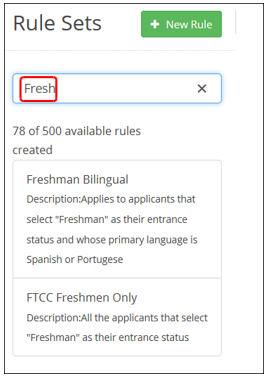
- Select the Rule - Click on the rule that you want to edit
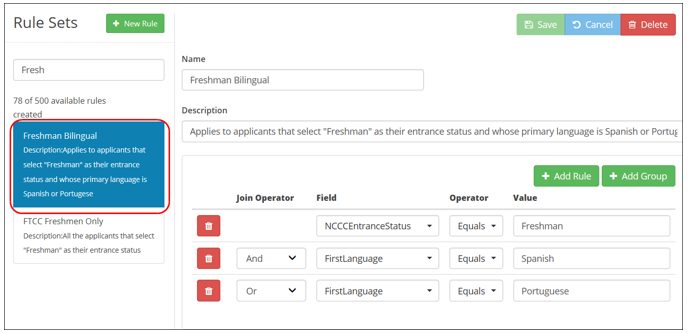
- Edit the Rule - Make your desired edits (edit name, description, add rule, etc.)
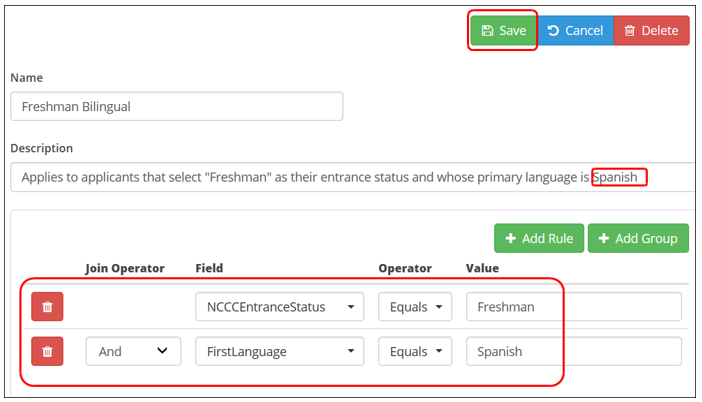
- Save the Rule - Click the Save button (
 ) at the top of the screen
To delete a rule
- Find the Rule - Type in all or part Rule Name into the search box at the top of the screen
- Select the Rule - Click on the rule that you want to delete
- Delete the Rule -Click the Delete button (
 ) at the top of the screen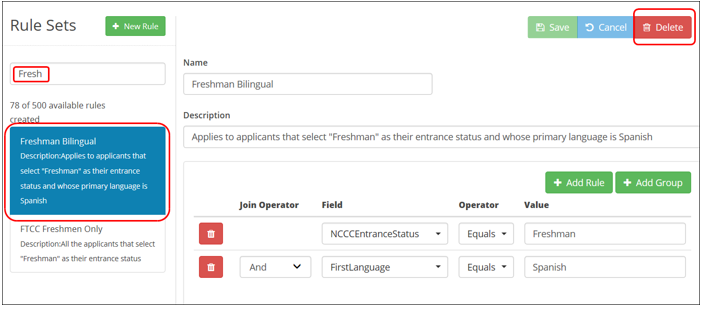
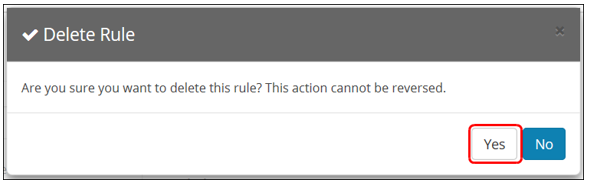
- Confirm Your Decision - Click yes when asked if you are sure you want to delete the rule (the action cannot be reversed)
The rule is removed from the Rule Sets list on the left side of the screen.